 Ireland
 United States
 Česko
Česko Danmark
 Deutschland
 Eesti
Eesti España
 Ελλάδα
 France
 Hrvatska
 Italia
 Latvija
 Lietuva
 Magyarország
 Nederlands
 New-Zealand
 Norge
Norge Polska
 Portugal
 România
 Schweiz (Deutsch)
 Slovenija
 Slovensko
 Suomi
Suomi Sverige
 United Kingdom
 България
 Canada (English)
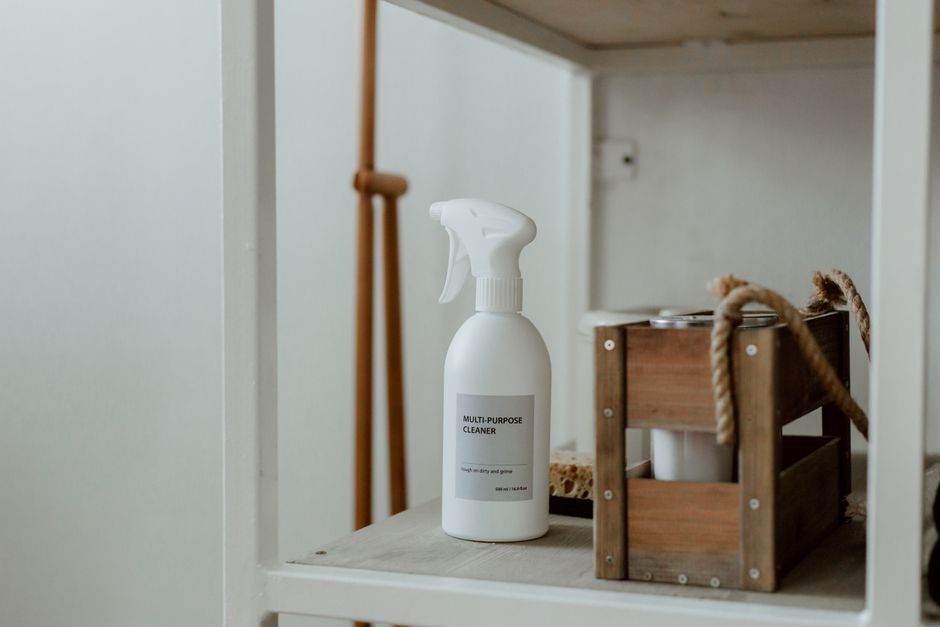
Keeping your printer clean is not just about aesthetics. Dust, ink residue, and paper particles can build up inside your machine and cause paper jams, faded prints, streaky output, and even permanent damage to the print heads. Whether you own an inkjet or a laser printer, at home or in the office, regular cleaning extends its lifespan and keeps your documents looking sharp. But before you grab just any cleaning spray from under your kitchen sink, it is worth knowing that everything starts with choosing the right product. Not all cleaners are created equal, and using the wrong one can actually damage sensitive electronic components.
Printers are more delicate than most people realize. Inside that plastic casing sits a network of circuit boards, sensors, motors, belts, and precision-machined parts that all need to work in perfect harmony to produce a crisp page of text or a vibrant photo. A single drop of the wrong chemical in the wrong place can corrode a contact point, gum up a gear, or leave a film that attracts even more dust than before. This is precisely why a dedicated approach to printer maintenance matters, and why so many households and small offices end up replacing printers years earlier than necessary simply because they never learned proper cleaning habits.
This is where Ferber Painting’s Eco-Friendly Multi-Purpose Cleaner comes in. It is formulated to be gentle enough for delicate surfaces like printer casings, rollers, and control panels, yet powerful enough to dissolve ink stains, dust buildup, and sticky residue. And unlike most cleaning products on the market, it comes with a satisfaction guaranteed or your money back promise, something you simply will not find with competing brands. From the very first use, you can trust that if the product does not meet your expectations, Ferber Painting will make it right.
Why the Right Cleaning Product Makes All the Difference
Many people assume that any household cleaner will do the job when it comes to maintaining electronics like printers. This is a costly mistake. Harsh chemicals, ammonia-based sprays, or abrasive cleaning wipes can corrode plastic components, strip protective coatings, and leave behind residue that attracts even more dust. Over time, this shortens the lifespan of your printer and can void your manufacturer’s warranty.
Think about what happens when a strong glass cleaner containing ammonia comes into contact with the plastic housing of a printer. Over repeated applications, the plastic can become brittle, discolored, or even develop tiny cracks. Now imagine that same chemical seeping into a gap near a circuit board. The result can be corrosion on solder joints or connectors, leading to intermittent errors that are incredibly difficult to diagnose. Many people who take their printer to a repair shop for a mysterious electrical fault are surprised to learn the root cause was a cleaning product used months earlier.
Abrasive wipes present a different but equally serious problem. Rough materials can scratch the scanner glass, dull the finish on control panel buttons, or leave micro scratches on the exterior casing that trap dust over time. Paper towels, often reached for out of convenience, can shed fibers that end up inside the printer and contribute to the very paper jams you were trying to prevent.
The Eco-Friendly Multi-Purpose Cleaner from Ferber Painting was designed with this exact problem in mind. It uses a plant-based, non-toxic formula that cleans effectively without leaving harmful residues behind. It is safe to use on plastic, metal, glass, and rubber parts, which makes it perfect not only for printers but for nearly every surface in your home or office.
Here are a few reasons why this product stands out from the crowd:
- It is biodegradable and free from harsh chemicals, so it is safer for you, your family, and the environment.
- It does not leave streaks or residue, which is critical when cleaning sensitive printer components like rollers and sensors.
- It has a pleasant, mild scent, unlike many industrial cleaners that leave a strong chemical odor in the room.
- It comes in a concentrated formula, meaning a single bottle lasts significantly longer than typical single-purpose cleaners.
- It is backed by a full satisfaction guaranteed or money back policy, something almost no competitor offers.
This last point deserves special attention. Most cleaning brands will sell you a bottle and wish you good luck. If it does not work as expected, you are simply out of money. Ferber Painting takes a different approach. If you are not fully satisfied with the results, you can return the product for a full refund, no complicated conditions attached. This level of confidence in a product is rare, and it reflects how much Ferber Painting stands behind the quality of its formula.
There is also a broader value proposition at play. Because the formula is genuinely multi-purpose, the same bottle that keeps your printer spotless can be used on kitchen counters, bathroom fixtures, office desks, and even car interiors. Rather than filling a cabinet with a dozen single-purpose sprays, one concentrated bottle can handle nearly every cleaning task in your home, which ultimately saves money and reduces plastic waste from empty bottles.
Ferber Painting’s Cleaner Versus Other Products on the Market
To help you understand why this product is the smarter choice, here is a comparison of the most important criteria when selecting a cleaner for electronics like printers.
| Criteria | Ferber Painting Eco-Friendly Multi-Purpose Cleaner | Typical Competing Cleaners |
|---|---|---|
| Satisfaction Guarantee | Yes, full money back guarantee | Rarely offered, or with strict conditions |
| Safe for Electronics | Yes, non-corrosive and residue-free | Often contains ammonia or harsh solvents |
| Eco-Friendly Formula | Yes, biodegradable and plant-based | Frequently contains synthetic chemicals |
| Multi-Surface Use | Yes, works on plastic, metal, glass, rubber | Often limited to a single surface type |
| Worldwide Delivery | Yes, fast international shipping | Often limited to local or regional markets |
| Online Payment Convenience | Yes, secure and simple checkout | Varies widely by brand |
| Concentration and Value | Highly concentrated, long-lasting bottle | Often diluted, requiring frequent repurchase |
As you can see, Ferber Painting checks every box that matters when it comes to choosing a cleaning product for something as delicate as a printer. The combination of safety, effectiveness, and a genuine guarantee makes it the logical choice over generic alternatives found in supermarkets.
It is worth pausing on the concentration factor, since it is often overlooked. Many supermarket cleaners are already diluted to the point where they need to be sprayed liberally to have any effect, which means the bottle empties quickly and needs constant repurchasing. A concentrated formula like the one offered by Ferber Painting means a small amount goes a long way, so the true cost per cleaning session ends up being considerably lower even if the upfront price looks similar.
Step-by-Step Guide: How to Clean a Printer
Now that you understand why the product matters, let’s walk through the actual process of cleaning your printer. This guide works for most inkjet and laser printers, though you should always check your specific model’s manual for any unique instructions.
Step 1: Turn Off and Unplug the Printer
Safety first. Always turn off your printer and disconnect it from the power source before cleaning. This prevents electrical accidents and protects the internal components from unintended movement while you clean. It is also a good idea to wait a few minutes after unplugging, especially for laser printers, since the fuser unit can remain hot for some time after use and could cause a minor burn if touched carelessly.
If your printer is connected to a network or shared among several users, consider notifying colleagues or family members that it will be temporarily out of service. This avoids someone accidentally sending a print job while the machine is partially disassembled or still drying from the cleaning process.
Step 2: Remove Paper and Ink Cartridges
Take out any paper from the trays and remove ink or toner cartridges if your printer model allows for easy removal. This gives you better access to the interior and prevents accidental spills onto cartridges. While the cartridges are out, take a moment to inspect them for dried ink around the nozzles or leaks around the seals. If you notice significant buildup on the cartridge itself, a lightly dampened cloth with the multi-purpose cleaner can gently remove it, just be careful never to touch the copper contacts or the nozzle plate directly with liquid.
Set the paper aside in a dry, flat location so it does not curl or absorb moisture while you work. Curled paper is a common and easily avoidable cause of jams once the printer is back in service.
Step 3: Dust the Exterior and Interior
Using a microfiber cloth or a can of compressed air, gently remove dust from the exterior casing, paper trays, and visible interior components. Compressed air is particularly useful for reaching tight spaces like around the print head assembly. Hold the can upright and use short bursts rather than one continuous spray, since prolonged spraying can cause condensation to form inside the unit from the rapid temperature change.
Pay special attention to the paper feed area, since this is where dust, tiny paper fibers, and debris accumulate the most over time. A soft-bristled brush, such as an old, clean paintbrush, can help dislodge stubborn dust from corners and crevices that compressed air alone cannot reach. Move the brush gently and avoid pressing hard on any exposed circuitry.
Step 4: Apply the Cleaner
Spray a small amount of Ferber Painting’s Eco-Friendly Multi-Purpose Cleaner onto a soft, lint-free cloth, never directly onto the printer itself. Gently wipe down the exterior surfaces, control panel, and paper trays. The non-toxic, residue-free formula ensures no damage to plastic or electronic components, and it leaves a streak-free finish.
When wiping the control panel and buttons, use light pressure and move in straight, even strokes rather than circular motions, which can push moisture into the gaps between buttons. For textured surfaces, such as the grip areas on paper trays, a slightly damp cloth folded into a point can reach into grooves that a flat cloth would miss. Always allow surfaces to air dry for a few minutes before moving on to the next step, since working on a still-damp surface can spread residue rather than remove it.
Step 5: Clean the Rollers
Paper jams are often caused by dirty rollers. Lightly dampen a cloth with the cleaner and gently wipe the rubber rollers, rotating them by hand if possible. This removes built-up dust and paper fibers that reduce grip and cause misfeeds. Rubber rollers rely on friction to pull paper through the machine, and over months of use they collect a fine layer of paper dust mixed with toner or ink particles that makes the surface slick rather than grippy.
Rotate each roller a quarter turn at a time, wiping as you go, until you have cleaned the entire circumference. If a roller feels hard, glazed, or shiny rather than slightly tacky to the touch, this is a clear sign it needs cleaning, and in some cases a heavily worn roller may need replacement regardless of how well it is cleaned. Most printer manufacturers sell replacement roller kits that are inexpensive and simple to install, so if cleaning does not restore proper grip, this is a worthwhile next step before assuming the entire printer needs replacing.
Step 6: Clean the Print Heads (Inkjet Printers)
For inkjet printers, dried ink can clog the print head nozzles. Many printers have a built-in cleaning cycle accessible through the printer’s software or control panel. Run this cycle, then gently wipe the print head area with a lightly dampened cloth using the multi-purpose cleaner to remove any remaining residue.
If the built-in cleaning cycle does not fully resolve streaky or faded prints after two or three attempts, it may help to leave the print head assembly exposed to air for several minutes, since sometimes ink simply needs time to soften before it can be gently wiped away. Avoid running the automatic cleaning cycle excessively, since each cycle consumes a small amount of ink, and repeated cycles in a short period can drain a cartridge without actually solving the underlying clog. If the nozzles remain stubborn, removing the cartridge and gently blotting the print head contact area on a cleaner-dampened cloth for a few seconds, then letting it rest before reinserting, often makes a noticeable difference.
Step 7: Wipe Down the Scanner Glass and Lid
If your printer includes a scanner, spray the cleaner onto a cloth and wipe the glass surface and lid gently. This prevents smudges and streaks from appearing on your scanned documents. Use a circular motion for the glass itself, then follow up with a dry section of the cloth to eliminate any remaining moisture, since leftover droplets can dry into faint spots that show up as artifacts on scanned images.
Do not forget the white or black backing on the underside of the scanner lid, since fingerprints and dust here are just as capable of creating unwanted marks on scans as dirt on the glass itself. A quick wipe of this often-overlooked surface can noticeably improve scan clarity, particularly for documents scanned at higher resolutions where every imperfection becomes visible.
Step 8: Reassemble and Test
Once everything is dry, reinsert the ink or toner cartridges, load paper back into the trays, and reconnect the power. Print a test page to confirm everything is working smoothly and that print quality has improved. Most printers have a built-in test page or nozzle check pattern accessible through the settings menu, and comparing this test page to one printed before cleaning can help you confirm the improvement objectively rather than relying on memory alone.
If you notice any remaining streaks, faded areas, or feed issues, do not hesitate to repeat the relevant step. Some heavily neglected printers may require two or three cleaning sessions spaced a day or two apart before results fully stabilize, particularly when it comes to dried ink that has accumulated over a long period.
This entire process typically takes fifteen to twenty minutes and should be repeated every one to three months depending on how frequently you use your printer. Home users who print only occasionally may find that a cleaning every three to four months is sufficient, while a busy home office or a shared printer in a small business setting will benefit from monthly attention.
A Few Extra Tips for a Deeper Clean
Consider keeping a small dedicated cleaning kit near your printer, including a microfiber cloth, a can of compressed air, a soft brush, and a bottle of the Eco-Friendly Multi-Purpose Cleaner. Having these tools readily accessible makes it far more likely you will actually perform maintenance on a regular schedule rather than putting it off. Setting a recurring reminder on your phone or calendar for printer cleaning day can also help build the habit, much like changing the batteries in a smoke detector.
If your printer sits in a particularly dusty environment, such as a workshop, a garage office, or a room near an open window, you may want to invest in a simple dust cover for the machine when it is not in use. This single habit can dramatically reduce how often deep cleaning is needed and will extend the life of internal components significantly.
Common Printer Problems Solved by Regular Cleaning
Many printer issues that seem like hardware failures are actually the result of dust and residue buildup. Here are some common problems that a proper cleaning routine can fix:
- Frequent paper jams, usually caused by dirty or worn rollers. Once rollers lose their grip due to accumulated dust, they slip against the paper rather than pulling it through smoothly, leading to crumpled sheets and repeated interruptions.
- Faded or streaky prints, often the result of clogged print head nozzles. Dried ink blocks the tiny openings responsible for spraying precise droplets, causing gaps or lighter patches across the printed page.
- Smudged scans, typically caused by a dirty scanner glass. Even a thin film of dust or a single fingerprint can appear as a distinct blemish on every scanned page until the glass is cleaned.
- Unusual noises during printing, which can result from dust interfering with moving parts. Grinding, clicking, or rattling sounds are sometimes nothing more than debris caught in a gear track or belt mechanism.
- Error messages related to paper feed, which are frequently linked to sensor obstructions caused by dust. Many printers use small optical sensors to detect paper position, and a thin layer of dust across these sensors can trigger false error readings even when paper is loaded correctly.
Beyond these five common issues, regular cleaning also helps prevent overheating in laser printers, since dust accumulation around the fuser unit and cooling vents can trap heat and force internal fans to work harder than necessary. Over time, this added strain can shorten the lifespan of the fan motor itself, leading to a more expensive repair down the line.
Odor is another overlooked symptom. A printer that has not been cleaned in a long time can develop a faint but noticeable smell, often a combination of warm dust and dried ink or toner. This is particularly common in enclosed office spaces where the printer runs for extended periods each day. A simple cleaning routine using a residue-free, pleasant-smelling formula resolves this issue quickly.
Using a safe, non-corrosive cleaner like Ferber Painting’s Eco-Friendly Multi-Purpose Cleaner regularly can prevent most of these issues before they start, saving you money on repairs or premature replacement. When you consider the cost of a service call from a technician, or the price of a brand new printer, the modest investment in proper cleaning supplies pays for itself many times over across the life of the machine.
Why Choose Ferber Painting for Your Cleaning Needs
Beyond the quality of the formula itself, shopping with Ferber Painting offers several practical advantages that make the entire experience easy and worry-free.
First, the product is available directly on our website, with a simple and secure online payment process. There is no need to visit multiple stores or compare shady third-party sellers, everything you need is available in one place. Ordering directly also means you can be confident you are receiving the authentic formula rather than a diluted or counterfeit version sometimes found through unofficial resellers.
Second, Ferber Painting ships quickly worldwide thanks to an extensive international network of trusted carriers. No matter where you are located, you can expect your order to arrive promptly and in perfect condition. Packaging is designed to prevent leaks or damage during transit, so the bottle arrives ready to use the moment it reaches your door.
Third, and perhaps most importantly, every product from Ferber Painting comes with a satisfaction guaranteed or money back policy. This is not a marketing gimmick, it is a genuine commitment to quality. If for any reason the Eco-Friendly Multi-Purpose Cleaner does not meet your expectations, you can request a full refund with no hassle. Few, if any, competitors in the cleaning product industry offer this level of confidence and customer protection.
Finally, choosing an eco-friendly formula reflects a broader commitment to sustainable living. Because the product is biodegradable and free from harsh synthetic chemicals, using it around your home reduces the amount of pollutants entering wastewater systems compared to many conventional cleaners. For households trying to reduce their overall environmental footprint, small choices like switching to a plant-based multi-purpose cleaner add up over time, especially when a single bottle replaces several specialized products that would otherwise need to be manufactured, packaged, and shipped separately.
Mini FAQ
Can I use Ferber Painting’s cleaner on all printer brands?
Yes. The Eco-Friendly Multi-Purpose Cleaner is safe for use on plastic, metal, glass, and rubber components, making it compatible with virtually all major printer brands, including inkjet and laser models. Whether you own a compact home printer or a larger multifunction office device, the formula is gentle enough to use across the entire unit.
How often should I clean my printer?
For most home users, cleaning every one to three months is sufficient. If you print frequently or in a dusty environment, monthly cleaning is recommended to avoid buildup. Shared office printers that see heavy daily use may benefit from a quick exterior wipe-down weekly, paired with a deeper interior cleaning session once a month.
Is the cleaner safe for electronic components?
Absolutely. Unlike many household cleaners that contain ammonia or harsh solvents, our formula is non-corrosive, residue-free, and specifically safe for use around sensitive electronics. It has been designed so that even accidental light contact with exposed circuitry, while still best avoided, will not cause the damage associated with stronger chemical cleaners.
What if I am not satisfied with the product?
Ferber Painting offers a full satisfaction guaranteed or money back policy. If the product does not meet your expectations, simply contact us for a hassle-free refund. There are no complicated forms or lengthy waiting periods, our goal is to make the process as straightforward as the product itself.
How long does shipping take?
Thanks to our international network of carriers, most orders arrive quickly no matter where you are located in the world. Tracking information is provided so you can follow your package every step of the way from our warehouse to your door.
Conclusion
Cleaning a printer does not have to be complicated, but it does require the right product to do the job safely and effectively. From removing dust and ink residue to keeping rollers and print heads free of buildup, following the steps outlined above will keep your printer running smoothly for years to come. Whether you are dealing with frequent paper jams, faded prints, smudged scans, or simply want to prevent future problems, a consistent cleaning routine paired with a trustworthy, non-corrosive formula makes all the difference.
Investing just twenty minutes every couple of months is a small price to pay compared to the cost of premature repairs or an early printer replacement. The key to success lies in choosing a cleaner that is safe, effective, and backed by a real guarantee. Explore our Eco-Friendly Multi-Purpose Cleaner today and experience the difference a truly reliable, guaranteed product can make for your printer and every other surface in your home or office.