 Ireland
 United States
 Australia
 Česko
Česko Danmark
 Deutschland
 Eesti
Eesti España
 Ελλάδα
 France
 Hrvatska
 Italia
 Latvija
 Lietuva
 Magyarország
 Nederlands
 New-Zealand
 Norge
Norge Polska
 Portugal
 România
 Schweiz (Deutsch)
 Slovenija
 Slovensko
 Suomi
Suomi Sverige
 България
 Canada (English)
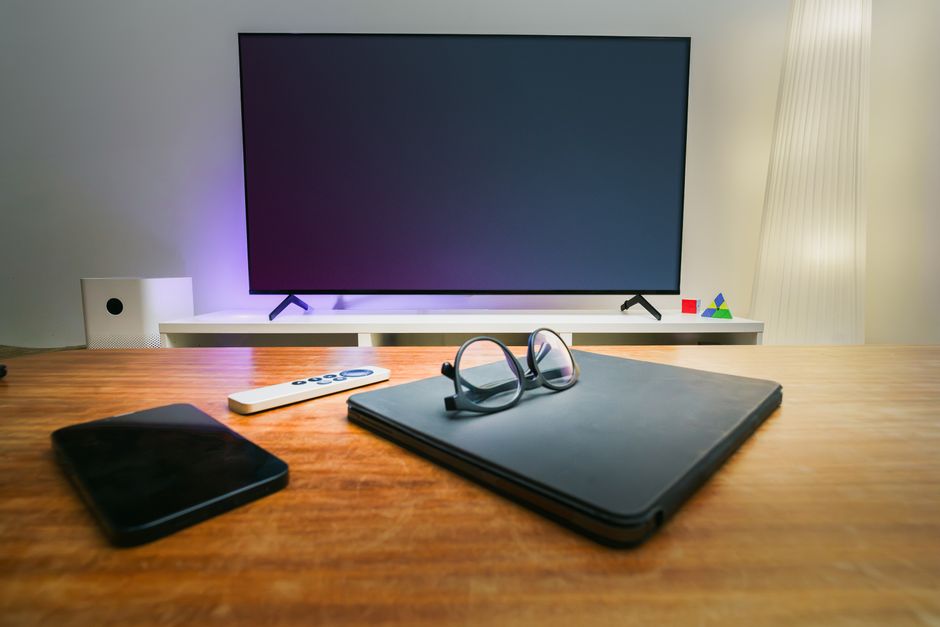
Keeping your computer clean is not just about aesthetics. It affects performance, hygiene, and the lifespan of your device. But before you grab any random cloth or spray bottle from under your kitchen sink, you need to understand something crucial: everything depends on using the right product. A wrong cleaning solution can damage your screen, leave streaks, or even ruin sensitive electronic components. This is why choosing a specialized product matters more than most people realize.
Think about how much time you spend in front of your computer every day. Between work, entertainment, browsing, and communication, most people touch their screens, keyboards, and mouse dozens if not hundreds of times daily. Over weeks and months, that constant contact leaves behind oil, dust, skin cells, food particles, and bacteria that accumulate in places you cannot always see. A computer that looks clean on the surface can still be harboring a surprising amount of grime in its crevices, vents, and keys. Understanding how to clean it properly, and with what products, is not a luxury but a basic form of maintenance that every owner should take seriously.
If you are looking for the safest and most effective way to clean your computer, the Ferber Painting TV, Computer and Phone Screen Cleaner is the product we recommend without hesitation. It is specifically formulated for electronic screens and surfaces, and unlike most competitors, it comes with a satisfaction guaranteed or money back promise. That means you can try it completely risk free. No other brand on the market offers this level of confidence in their own product, which already tells you something about the quality behind it.
In this guide, we will explain why the right product is the foundation of proper computer cleaning, why Ferber Painting stands out from every other option available, and then walk you through a complete step by step process on how to clean a computer safely and effectively. We will also cover common mistakes people make, how often you should clean different parts of your machine, and how to build cleaning into a simple routine so your computer always looks and performs like new.
Why the Right Cleaning Product Matters Most
Many people assume that cleaning a computer is as simple as wiping the screen with a paper towel or spraying some glass cleaner on it. Unfortunately, this approach can cause serious damage over time. Household cleaning products often contain ammonia, alcohol in high concentrations, or abrasive chemicals that degrade the protective coatings on modern screens. Paper towels and rough fabrics can create micro scratches that are invisible at first but accumulate and reduce screen clarity.
Modern screens are far more complex than the glass panels of decades past. Most laptops, monitors, and phones today use an anti glare or anti reflective coating layered on top of the actual display panel. Some devices also include an oleophobic coating, which is designed to resist fingerprints and oils. These coatings are extremely thin, often just a few nanometers, and they are surprisingly delicate. Ammonia based cleaners, which are common in household glass sprays, break down these coatings chemically. The damage does not always appear immediately. Instead, you might notice over a period of weeks or months that your screen starts to look slightly hazy, that fingerprints seem to stick more than before, or that the display develops a rainbow like sheen under certain lighting. By the time you notice these signs, the coating is already permanently damaged and cannot be restored.
The keyboard, vents, and casing of a computer also require careful attention. Dust and debris can build up inside vents and cause overheating, while grease and bacteria accumulate on keys and touchpads. Using an inappropriate product on these areas can lead to corrosion of internal components or discoloration of plastic surfaces. Keyboards in particular are a magnet for crumbs, skin oils, and even liquid spills, and improper cleaning products can seep beneath the keys and short circuit the internal membrane, rendering individual keys or entire sections unresponsive.
There is also a hygiene dimension that often gets overlooked. Studies conducted on office equipment have repeatedly found that keyboards and mice can carry more bacteria per square inch than a toilet seat, simply because they are touched constantly and rarely cleaned. If you share your computer with family members, coworkers, or use it in public spaces like libraries or cafes, this bacterial buildup becomes even more significant. Using a proper disinfecting yet screen safe formula addresses both the technical risk of screen damage and the very real hygiene concerns tied to daily device use.
This is why the single most important decision you will make when cleaning your computer is which product to use. A cleaner designed specifically for electronics uses a balanced, non-abrasive formula that lifts dirt, oil, and fingerprints without damaging protective coatings. It should also dry quickly without leaving streaks or residue. A good electronics cleaner strikes a careful balance: strong enough to break down oils and grime, yet gentle enough that it will not strip away coatings or leave a chemical residue that attracts even more dust once it dries.
Ferber Painting developed its TV, Computer and Phone Screen Cleaner with exactly these concerns in mind. The formula is designed to be gentle on sensitive surfaces such as LED, LCD, OLED, and touchscreen displays, while still being powerful enough to remove smudges, dust, and fingerprints effectively. It is a product built by people who understand that screens today are more delicate and more expensive to replace than ever before. Replacing a cracked or damaged laptop screen can cost anywhere from one hundred to several hundred dollars depending on the model, which makes the small investment in a proper cleaning solution look trivial by comparison.
Why Ferber Painting’s Screen Cleaner Outperforms the Rest
There are dozens of screen cleaning products available online and in stores, so why should you choose Ferber Painting over the competition? Here are the main reasons customers consistently choose our product and stay loyal to it.
- Satisfaction guaranteed or money back. No other major screen cleaning brand offers this level of confidence. If you are not fully satisfied with the results, you get your money back, no complicated conditions attached. This guarantee reflects genuine confidence in the formula rather than a marketing gimmick, and it removes all the risk from trying a new product for the first time.
- Safe for all electronic surfaces. Whether you are cleaning a laptop screen, a desktop monitor, a smartphone, or a television, the formula is versatile enough to handle them all without switching products. This means you no longer need to keep three or four different cleaning sprays in a drawer, one for each type of device. A single bottle can handle your entire household of screens.
- Streak free finish. Many competing products leave visible streaks or a hazy film after drying. Our formula is engineered to evaporate cleanly, leaving a crystal clear surface. This is particularly noticeable under bright office lighting or sunlight, conditions where streaks and residue from lower quality cleaners become immediately obvious.
- Fast worldwide shipping. Ferber Painting delivers quickly across the globe thanks to an international network of trusted carriers, so you do not have to wait weeks to receive your order. Whether you are located in a major city or a more remote area, our logistics network is built to get the product to you as efficiently as possible.
- Simple and secure online payment. Ordering is easy, fast, and fully secure directly through our website, with no complicated checkout processes. You can complete a purchase in under a minute using any major payment method, with full encryption protecting your information at every step.
- Non toxic and safe formula. Unlike many household cleaners that contain harsh chemicals, our product is formulated to be effective without putting your health or your device at risk. This makes it especially suitable for households with children or pets, where safety around everyday cleaning products is a genuine concern.
When you compare these advantages to generic cleaning sprays or homemade solutions, it becomes clear why so many customers trust Ferber Painting for their electronics maintenance needs. It is not just a cleaner, it is a complete solution backed by a real guarantee. Customers who switch from ammonia based sprays or improvised vinegar and water mixtures frequently report that they notice the difference from the very first use, both in how easily the cleaner lifts dirt and in how the screen looks once it dries.
Another point worth mentioning is consistency. Homemade solutions vary from batch to batch depending on the exact ratio of ingredients used, and generic store bought cleaners can differ significantly in formula quality even within the same brand. Ferber Painting’s product is manufactured to a consistent standard every time, so you always know exactly what results to expect regardless of which bottle you purchase or when you purchase it.
How to Clean a Computer: Step-by-Step Guide
Now that you understand why the right product is essential, let us walk through the full process of cleaning a computer properly. Whether you own a laptop or a desktop, these steps will help you achieve a deep, safe clean. Set aside about fifteen to twenty minutes for a thorough job, and gather your materials before you begin: a can of compressed air, a couple of clean microfiber cloths, a soft bristled brush, and of course your bottle of Ferber Painting TV, Computer and Phone Screen Cleaner.
Step 1: Turn Off and Unplug the Computer
Before cleaning anything, always shut down your computer completely and unplug it from any power source. This prevents electrical damage and reduces the risk of liquid seeping into active components. If you are cleaning a laptop, it is also a good idea to remove the battery if your model allows it, and to wait a few minutes after shutdown to allow any residual charge to dissipate. For desktop computers, unplug all peripherals as well, including the monitor, keyboard, and mouse, so you can clean each piece individually without cables getting in the way.
Step 2: Remove Dust from the Exterior
Use a can of compressed air or a soft brush to remove loose dust from the keyboard, vents, and casing. Pay special attention to the fan vents, since dust buildup here is one of the leading causes of overheating. When using compressed air, hold the can upright and spray in short bursts rather than one continuous stream, since tilting the can can release liquid propellant instead of air. Aim the nozzle at an angle into the vents rather than straight in, which helps push dust out rather than deeper into the machine. If you notice a significant amount of dust accumulated inside the vents on a laptop, this may be a sign that it is time for a more thorough internal cleaning, which for most users is best left to a professional technician to avoid voiding any warranty.
Step 3: Clean the Screen
Spray a small amount of Ferber Painting TV, Computer and Phone Screen Cleaner onto a microfiber cloth, never directly onto the screen. Gently wipe the display in circular motions, starting from the top and working your way down. The formula lifts fingerprints, smudges, and dust without leaving streaks, and it dries quickly without residue. Use light, even pressure rather than pressing hard, since screens, particularly OLED panels, can be sensitive to excessive force. If you encounter a particularly stubborn smudge, resist the urge to scrub aggressively. Instead, let the cleaner sit on the cloth against that spot for a few seconds before wiping again, which allows the formula to break down the oils more effectively. Once you have wiped the entire screen, use a second dry microfiber cloth to buff away any remaining moisture for a completely streak free finish.
Step 4: Clean the Keyboard
Turn the laptop upside down and gently shake it to remove crumbs and debris trapped between the keys. Then, lightly dampen a microfiber cloth with the same cleaner and wipe each key individually. Avoid soaking the cloth, since excess liquid can seep beneath the keys. For deeper cleaning between keys, a soft bristled brush or a specialized keyboard cleaning brush can help dislodge particles that shaking alone will not remove. If your keyboard has removable keycaps, and you are comfortable doing so, removing a few of the most frequently used keys, such as the space bar and the most common letters, can reveal a surprising amount of built up debris underneath. Clean the exposed area gently with a slightly dampened cloth before carefully snapping the keycaps back into place, making sure they click back in securely before resuming normal use.
Step 5: Clean the Casing and Touchpad
Apply a small amount of cleaner to a clean cloth and wipe down the exterior casing, palm rest, and touchpad. This removes oils and grease that accumulate from regular hand contact. Pay particular attention to areas where your wrists and palms rest during typing, since this is typically where the heaviest buildup of skin oils occurs. For textured or matte casings, work the cloth in small circular motions to lift grime out of the texture rather than simply pushing it around the surface. On glossy casings, a light touch and a second dry cloth pass will help avoid any streaking.
Step 6: Clean the Ports Carefully
Use a dry, soft brush or a can of compressed air to clear dust from USB ports, headphone jacks, and charging ports. Never insert liquid directly into these openings. If you notice stubborn debris lodged deep inside a port, a wooden toothpick can sometimes be used very gently to dislodge it, but avoid metal tools entirely since they can scratch internal contacts or cause a short circuit. If a port seems to have a persistent connection problem even after cleaning, this may indicate a hardware issue rather than simple dust buildup, and is worth having checked by a professional.
Step 7: Let Everything Dry Completely
Before turning the computer back on, allow a few minutes for any moisture to fully evaporate. This ensures no liquid interferes with the internal electronics. A good rule of thumb is to wait at least five minutes after your last cleaning step, longer if you live in a particularly humid environment where evaporation naturally takes more time. Once everything is fully dry, you can safely reconnect any peripherals, reinsert the battery if you removed it, and power the machine back on.
Following these steps regularly, ideally once every one to two weeks, will keep your computer looking new, functioning properly, and free from the buildup of germs and dust that can affect performance over time. If you use your computer heavily every day, or if you eat near your workstation, you may want to clean the keyboard and touchpad slightly more often, even while sticking to the same schedule for the screen itself. Building this into a simple weekend routine, similar to how you might dust furniture or clean a car, makes the whole process feel effortless rather than like a chore.
Common Mistakes to Avoid When Cleaning a Computer
Even with good intentions, there are a few mistakes that come up again and again. Spraying liquid directly onto the screen is one of the most common, since it increases the risk of moisture running down into the bezel and seeping inside the display housing. Always spray onto the cloth first. Another frequent mistake is using paper towels, tissues, or old t shirts instead of a proper microfiber cloth, since these materials often contain wood fibers or rough textures that can scratch delicate coatings. Pressing too hard while wiping is another issue, particularly on laptop screens which can flex and potentially damage the panel underneath if pressed firmly enough. Finally, many people forget to clean their computer bag, sleeve, or case, which can harbor just as much dust and grime as the device itself and transfer it right back after a good cleaning.
Comparison Table: Choosing the Best Computer Cleaner
To make the decision easier, here is a comparison of the criteria that matter most when selecting a screen and computer cleaning product.
| Criteria | Ferber Painting Screen Cleaner | Generic Screen Cleaners | Homemade Solutions |
|---|---|---|---|
| Satisfaction guaranteed or money back | Yes | Rarely offered | Not applicable |
| Safe for sensitive screens (LED, OLED, touchscreens) | Yes | Sometimes | Often risky |
| Streak free finish | Yes | Inconsistent | Inconsistent |
| Fast international shipping | Yes, worldwide carrier network | Varies by seller | Not applicable |
| Secure online payment | Yes | Varies | Not applicable |
| Non toxic formula | Yes | Varies | Depends on ingredients used |
| Ease of use | Very easy, ready to use | Varies | Requires mixing and testing |
As this table shows, Ferber Painting checks every important box, while competitors and homemade alternatives often fall short in at least one critical area. When it comes to something as important as protecting your expensive electronic devices, these differences matter significantly.
It is worth expanding on why homemade solutions, despite their popularity on the internet, are often riskier than they seem. A common recipe involves mixing white vinegar with water in equal parts, and while this can be effective at cutting through grease on kitchen surfaces, vinegar is acidic and can slowly degrade certain screen coatings with repeated use. Similarly, rubbing alcohol, another popular homemade ingredient, can be too harsh in high concentrations and may cause certain plastics to become brittle or discolored over time. The appeal of homemade solutions is usually cost, but when you consider the cost of a damaged screen or a discolored casing, the small price difference compared to a dedicated, tested product becomes far less significant.
Generic screen cleaners purchased at a local store are often a step up from homemade mixtures, but they vary enormously in quality. Some are formulated primarily for glass and mirrors rather than the specific coatings used on modern electronic displays, and their labeling rarely tells you which formulas are truly safe for OLED or touchscreen surfaces. Without a satisfaction guarantee, you are also taking on all the risk yourself if the product does not perform as expected.
Frequently Asked Questions
Can I use the Ferber Painting cleaner on my phone as well as my computer?
Yes. The formula is designed to work safely on computer screens, television screens, and smartphone displays, making it a versatile solution for all your electronic devices. This means a single bottle can handle your laptop, your desktop monitor, your smartphone, your tablet, and even your living room television, eliminating the need to buy separate products for each device in your home.
How often should I clean my computer screen?
We recommend cleaning your screen once every one to two weeks under normal use, or more frequently if you work in a dusty environment or share your computer with others. If you notice visible smudges or dust accumulating faster than usual, there is no harm in cleaning slightly more often, since the formula is gentle enough for frequent use without damaging the screen coating.
Is the product safe for touchscreens and glossy displays?
Absolutely. The formula was specifically developed to be gentle on delicate coatings found on touchscreens and glossy displays, without leaving streaks or residue. This includes anti glare coatings, anti fingerprint coatings, and the capacitive touch layers found on modern tablets and convertible laptops.
What happens if I am not satisfied with the product?
Ferber Painting offers a satisfaction guaranteed or money back policy on all products, including the TV, Computer and Phone Screen Cleaner. If you are not happy with your results, you can request a refund with no complicated process. We stand behind the quality of our formula, and this guarantee reflects that confidence directly rather than being a limited or conditional offer.
How long does shipping take?
Thanks to our international network of trusted carriers, Ferber Painting delivers quickly to customers all around the world, so you will not have to wait long to start using your new cleaner. Order tracking is provided so you always know exactly where your package is along the way.
Can this cleaner be used on other surfaces around the house?
While the formula is specifically optimized for electronic screens and casings, many customers also find it effective on other glass and hard plastic surfaces around the home, such as eyeglasses, camera lenses, and appliance displays. That said, we always recommend testing on a small inconspicuous area first when using it on a surface outside its primary intended use.
Do I need any special tools besides the cleaner itself?
A good quality microfiber cloth is really the only additional item you need. Compressed air and a soft brush are helpful extras for removing dust from vents and keyboards, but they are optional depending on how deep a clean you want to perform. None of these tools are expensive, and together with the cleaner they form a complete, affordable kit for keeping every screen in your home looking its best.
Conclusion
Cleaning a computer properly is not complicated once you have the right tools and the right product in hand. A safe, effective, streak free cleaner protects your investment, extends the life of your screen, and keeps your workspace hygienic. Choosing a generic or homemade solution might save a few cents today, but it puts your expensive electronics at unnecessary risk. Considering how much time we all spend looking at these screens every single day, and how much we rely on our devices for work, communication, and entertainment, investing a small amount of time and money into proper maintenance is one of the easiest ways to protect that investment for years to come.
By following the step by step process outlined in this guide, using compressed air and a soft brush for dust, and relying on a dedicated electronics cleaner for screens, keyboards, and casings, you can keep your computer performing at its best while avoiding the common mistakes that damage sensitive coatings and components. A clean computer is not just more pleasant to use, it is also a healthier and longer lasting one.