 Ireland
 United States
 Australia
 Česko
Česko Danmark
 Deutschland
 Eesti
Eesti España
 Ελλάδα
 France
 Hrvatska
 Italia
 Latvija
 Lietuva
 Magyarország
 Nederlands
 New-Zealand
 Norge
Norge Polska
 Portugal
 România
 Schweiz (Deutsch)
 Slovenija
 Slovensko
 Suomi
Suomi Sverige
 United Kingdom
 България
 Canada (Français)
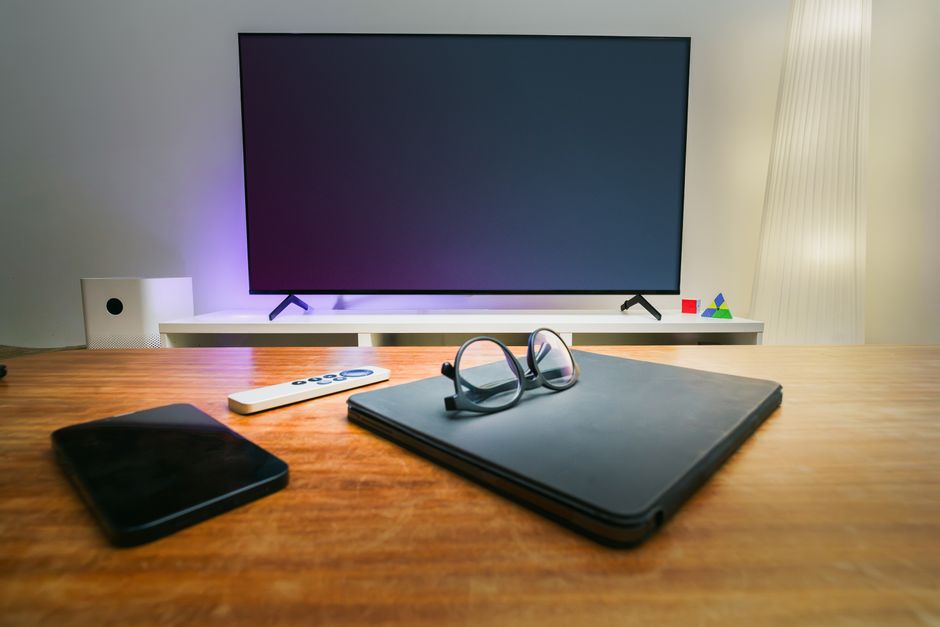
Cleaning a television screen seems like a simple task, but the truth is that most people do it wrong. Grabbing a random cloth or spraying a household glass cleaner directly onto a screen can cause permanent damage, streaks, or even discoloration. Everything depends on using the right product and the right technique. That is why, before we walk you through the complete step by step process, we want to be transparent about the one factor that changes everything: the quality of the cleaning solution you use.
At Ferber Painting, we developed a TV, Computer and Phone Screen Cleaner specifically designed to protect sensitive display surfaces while removing dust, fingerprints, and grime effectively. It is currently the only screen cleaning product on the market that comes with a full satisfied or refunded guarantee. This means that if you are not completely happy with the results, you can send it back and get your money back, no questions asked. That level of confidence is rare in this industry, and it is one of the many reasons why thousands of customers trust our formula over generic alternatives.
In this guide, we will explain why choosing the right product matters so much, what makes our screen cleaner stand out from the competition, and then provide a detailed step by step method for cleaning any TV screen safely, whether it is LED, OLED, QLED, plasma, or an older LCD model. We will also cover the small details that most guides skip entirely, such as how humidity affects streaking, what type of cloth actually performs best, how to deal with stubborn fingerprint marks left by children, and how often you should really be cleaning your screen based on your living environment. By the end of this article, you should feel completely confident tackling this task without ever worrying about damaging your investment.
Why the Right Cleaning Product Makes All the Difference
Modern television screens are built with delicate coatings that reduce glare and improve color accuracy. These coatings are extremely thin and can be easily damaged by the wrong chemicals. Ammonia, alcohol, and abrasive materials found in many standard household cleaners can strip away these protective layers, leaving behind cloudy patches, rainbow like streaks, or even scratches that are impossible to repair.
This is why so many people end up frustrated after trying to clean their television with whatever cleaning spray they had under the sink. Instead of a clear, spotless screen, they get smudges, static buildup, or worse, a permanently damaged display. The screen essentially becomes a magnet for dust again within hours because the wrong chemicals leave a residue that attracts particles.
To understand why this happens, it helps to know a little about how modern screens are manufactured. Most flat panel televisions today include several layers stacked on top of the actual display panel: a polarizer, an anti reflective coating, and in many higher end models, an additional oleophobic layer that resists fingerprints. These layers are measured in microns, thinner than a human hair in many cases. When a strong solvent like ammonia or isopropyl alcohol comes into contact with them repeatedly, it slowly breaks down the molecular bonds holding the coating together. The damage is not always visible after one cleaning, but over weeks or months of repeated exposure, the coating begins to degrade, leaving a hazy or blotchy appearance that cannot be reversed. This is one of the most common reasons why older televisions start to look dull even though the panel itself is technically still functioning perfectly.
Another overlooked issue is static electricity. Screens naturally attract dust because of the small electrical charge they generate during normal operation. Wiping a screen with a dry cloth that is not designed for electronics, such as a cotton towel, can actually increase static buildup rather than reduce it, which means dust returns to the surface faster than before. This is why so many people feel like they are cleaning their TV every single day and it never seems to stay clean for long. The problem is rarely the amount of effort, it is almost always the tools and chemicals being used.
The solution is not complicated: use a cleaning product that has been formulated specifically for electronic screens. A dedicated screen cleaner is designed with a balanced pH, free of ammonia and alcohol, and engineered to evaporate cleanly without leaving streaks or residue. This is exactly the philosophy behind the Ferber Painting TV, Computer and Phone Screen Cleaner. It was created by people who understand display technology and wanted to offer a safe, effective, and affordable solution for everyday use.
Choosing the right product also saves you time and money in the long run. Instead of buying multiple cleaning sprays for your TV, your computer monitor, and your phone screen, one single product can safely handle all of them. This versatility is part of what makes our cleaner such a smart investment for any household or office. Think about how many bottles of cleaning products the average family already owns: one for windows, one for kitchen counters, one for bathroom tiles. Adding a dedicated, multi purpose screen cleaner to that collection actually reduces clutter rather than adding to it, since it replaces the need for several device specific sprays that often sit unused after the first attempt fails to deliver good results.
What Makes Ferber Painting’s Screen Cleaner the Best Choice
There are dozens of screen cleaning products available online and in stores, so why should you choose ours? The answer comes down to a combination of formula quality, customer service, and the guarantees we offer that no other brand matches.
First, our formula is alcohol free and ammonia free, which means it will never strip away anti glare coatings or damage sensitive display layers. Many competitor products still use these harsh chemicals because they are cheaper to manufacture, but they put your expensive electronics at risk. When you consider that a modern OLED television can cost thousands of dollars, using a two dollar bottle of unknown chemical cleaner to maintain it simply does not make sense from a risk versus reward perspective.
Second, our cleaner is streak free by design. The solution is engineered to evaporate evenly, leaving no residue behind. This is particularly important for glossy screens, where even a small amount of leftover product can create visible marks under certain lighting conditions. Anyone who has tried to watch a movie in a dark room only to notice faint streaks reflecting the light from the screen itself knows exactly how distracting this can be. Our formula is designed to eliminate that problem entirely, so the only thing you see on your screen is the picture itself.
Third, and perhaps most importantly, we back our product with a satisfied or refunded guarantee. If for any reason you are not happy with the results, you can contact us and receive a full refund. No other screen cleaner brand on the market currently offers this level of confidence in their own product. We do this because we know how effective our formula is, and we want every customer to feel completely secure in their purchase. This guarantee is not a marketing gimmick buried in fine print with dozens of conditions attached. It is a straightforward promise: try the product, and if it does not meet your expectations, reach out to our team and we will make it right.
Fourth, we ship internationally through a reliable network of carriers, which means that no matter where you are located, you can order our product directly from our website and expect fast, trackable delivery. Payment is simple and secure, processed entirely online, so there is no need to deal with complicated forms or unreliable third party sellers. Whether you live in a large city with same day delivery options or in a more remote area, our logistics network is built to reach you without unnecessary delays or hidden fees.
Finally, our product is versatile. It works on television screens of every type, including OLED, QLED, LED, and plasma, as well as computer monitors, laptop screens, tablets, and smartphones. You do not need a separate bottle for every device in your home, which makes it both economical and convenient. Families with multiple screens throughout the house, from the living room television to the kids’ tablets and the home office monitor, can rely on a single bottle to keep every surface spotless without worrying about compatibility issues.
Backed by Real Customer Experience
Beyond the technical formula, what truly sets our product apart is the feedback we consistently receive from real customers. Many people write to tell us that they were skeptical at first, having tried other screen cleaners that either did nothing or left their screen looking worse than before. After switching to our formula, the most common comment we hear is surprise at how easily fingerprints and greasy smudges disappear without any scrubbing at all. This kind of consistent, repeated feedback is exactly why we felt confident enough to offer a full refund guarantee in the first place. We are not just selling a bottle of liquid, we are offering a proven solution supported by thousands of successful cleanings.
Comparison Table: Ferber Painting vs Generic Screen Cleaners
To make the differences clear, here is a direct comparison between the Ferber Painting TV, Computer and Phone Screen Cleaner and typical generic alternatives found in most stores.
| Criteria | Ferber Painting Screen Cleaner | Generic Screen Cleaners |
|---|---|---|
| Satisfied or refunded guarantee | Yes, full refund available | Rarely offered |
| Ammonia and alcohol free | Yes | Often contains harsh chemicals |
| Streak free formula | Yes | Inconsistent results |
| Compatible with all screen types | Yes, TVs, monitors, phones, tablets | Often limited to one device type |
| Fast international shipping | Yes, worldwide carrier network | Often limited to local markets |
| Secure online payment | Yes, simple online checkout | Varies by retailer |
| Ease of use | Simple spray and wipe application | Varies, some require special cloths |
As this comparison shows, the advantages go far beyond simple cleaning performance. The guarantee alone sets our product apart, but when combined with a safe formula, worldwide shipping, and easy online payment, it becomes clear why so many customers choose Ferber Painting over other options.
It is also worth mentioning that many generic screen cleaners sold in bulk supermarkets are manufactured with cost cutting in mind rather than performance. They often rely on cheap solvents that evaporate quickly, giving the illusion of a clean screen for the first few minutes, only for streaks to reappear once the television is turned back on and the screen warms up slightly. Our formula was tested specifically under these real world conditions, including on warm, actively running screens, to ensure consistent results no matter when or how it is applied.
Step-by-Step Guide: How to Clean a TV Screen
Now that you understand why the product matters so much, let’s go through the correct process for cleaning your television screen safely and effectively.
Step 1: Turn Off and Unplug the Television
Always turn off your TV before cleaning it. A dark screen makes it much easier to see dust, smudges, and fingerprints, since a lit screen can hide dirt due to the brightness of the display. Unplugging the television also eliminates any risk of electrical issues while cleaning. This step is especially important if you have young children or pets at home, since accidental spills or unexpected contact with liquid near an active electrical current can create a genuine safety hazard. Taking thirty extra seconds to unplug the unit is a small price to pay for peace of mind.
It is also worth waiting a few minutes after turning off the television before you begin cleaning. Some screens, particularly older plasma models and certain LED panels, can retain heat for several minutes after being powered down. Cleaning a warm screen increases the chance of the liquid evaporating unevenly, which can leave faint streaks even with a high quality cleaner. Letting the screen cool to room temperature first ensures the most consistent, streak free result.
Step 2: Remove Dust with a Dry Microfiber Cloth
Before applying any liquid, gently wipe the screen with a clean, dry microfiber cloth. This removes loose dust and prevents it from turning into gritty particles that could scratch the surface once moisture is added. Always use soft, circular motions rather than pressing hard, since screens are more delicate than they appear.
Not all microfiber cloths are created equal. Look for cloths with a tight, dense weave, ideally at least 300 grams per square meter, since thinner or lower quality microfiber can actually hold onto grit rather than lifting it away. It is also a good idea to keep a dedicated cloth exclusively for screen cleaning, stored in a clean drawer or bag away from other household cleaning tools. A cloth that has been used to wipe kitchen counters or dust furniture may carry small amounts of grease or grit that could scratch a screen on the next use, even if it looks clean to the naked eye.
Step 3: Apply the Screen Cleaner Correctly
Never spray liquid directly onto the screen. Instead, spray a small amount of the Ferber Painting TV, Computer and Phone Screen Cleaner onto a soft microfiber cloth. This prevents liquid from dripping into the edges of the screen or into any ports, which could cause internal damage.
A common question we receive is exactly how much product to use. The answer is less than most people expect. A light misting of two or three sprays onto the cloth is typically enough to cover an entire fifty five inch television screen. Using too much liquid does not clean the screen any better, it simply increases the risk of the cloth becoming oversaturated and dripping onto the frame or bezel. If you find that your cloth feels wet rather than lightly damp, it is a sign you have used more product than necessary.
Step 4: Wipe Gently in a Single Direction
Using the dampened cloth, wipe the screen gently in one consistent direction, either top to bottom or side to side. Avoid circular scrubbing motions at this stage, since they can push dirt around rather than lifting it away. Light pressure is all that is needed, since our formula is designed to break down grime and fingerprints without the need for scrubbing.
For particularly stubborn marks, such as dried fingerprints from children touching the screen while watching cartoons, resist the temptation to press harder. Instead, allow the cleaner a few extra seconds of contact time on that specific area before wiping. The formula needs a brief moment to break down oils and dried residue, and giving it that time will loosen the mark far more effectively than additional pressure ever could. If a mark persists after the first pass, simply repeat steps three and four on that section rather than scrubbing aggressively.
Step 5: Dry with a Second Clean Cloth
Once you have wiped the entire screen, use a second dry microfiber cloth to remove any remaining moisture. This step ensures a streak free finish and prevents any residual dampness from settling into the edges of the display.
Using two separate cloths, one slightly damp for cleaning and one completely dry for finishing, is one of the simplest ways to guarantee professional level results at home. Many people skip this final drying step, assuming the cleaner will simply evaporate on its own. While our formula is designed to evaporate cleanly, manually drying the screen with a second cloth speeds up the process and virtually eliminates any chance of streaking, particularly in humid climates where natural air drying takes longer.
Step 6: Clean the Frame and Stand
While the screen is the most delicate part, do not forget the plastic frame, stand, and back panel of your television. These areas can also be wiped with the same cleaner, since it is safe for most plastic and glass surfaces, helping your entire setup look spotless.
Dust tends to accumulate heavily along the bottom edge of the frame and around any visible ports or connectors, especially in homes with pets where fur and dander settle into these small gaps. Using a slightly damp cloth to wipe these areas every time you clean the screen prevents a buildup that can eventually work its way into the television’s internal cooling vents, which in some cases can affect performance over time.
Step 7: Let It Air Dry Before Turning the TV Back On
Give the screen a minute or two to fully air dry before plugging the television back in and turning it on. This ensures that no moisture interferes with the display when it powers back up.
If you live in a particularly humid environment, consider extending this waiting period slightly, or lightly fan the screen with a piece of cardboard to speed up evaporation. While our formula is designed to dry quickly under normal conditions, extra humidity in the air can occasionally slow this process down.
Following these seven steps consistently will keep your television looking clear and vibrant for years, without risking damage to the screen’s protective coatings. The key ingredient in this process is not effort, but using a cleaning solution that is specifically formulated for screens, like the one from Ferber Painting.
Special Considerations for Different Screen Types
Although the seven step process above applies broadly to nearly every television on the market, it is worth understanding a few nuances depending on the specific technology inside your screen.
OLED televisions, for example, use organic compounds to produce light directly from each individual pixel. Because there is no separate backlight layer, the panel itself sits much closer to the outer glass, which means the surface can be slightly more sensitive to pressure. When cleaning an OLED screen, use even lighter pressure than you would with a standard LED television, and avoid any temptation to press down while wiping away a stubborn smudge.
QLED and standard LED televisions use a backlighting system behind a liquid crystal layer, which generally makes them a bit more resistant to light pressure during cleaning, though the same gentle technique is still recommended to avoid any risk of dead pixels forming from excessive force.
Older plasma televisions, while less common today, have glass front panels that are technically more scratch resistant than LED or OLED screens. However, they often have an anti glare coating applied on top of the glass, which is just as sensitive to harsh chemicals as any modern screen. Do not assume that because the surface feels sturdier, it is safe to use stronger cleaning products on it.
Common Mistakes to Avoid When Cleaning Your Screen
Even with good intentions, many people unintentionally damage their screens through common cleaning mistakes. Being aware of these errors can help you avoid costly repairs or the need to replace your television prematurely.
- Using paper towels or regular tissues, which contain wood fibers that can scratch the screen surface.
- Spraying liquid directly onto the screen instead of onto a cloth first.
- Pressing too hard while wiping, which can create pressure spots or even crack sensitive OLED panels.
- Using household glass cleaners that contain ammonia or alcohol, which strip protective coatings.
- Cleaning the screen while it is still on, which makes it harder to see dirt and increases the risk of static shock.
- Ignoring the frame and ports, allowing dust to build up around the edges of the television.
- Using the same cloth for multiple cleaning tasks around the house, which can transfer dirt and oils back onto the screen.
Beyond this list, there are a few additional habits worth mentioning that we see repeated frequently, even among people who consider themselves careful and detail oriented. One common issue is using cold water mixed with soap as a homemade alternative to a proper screen cleaner. While this seems harmless, soap residue can be surprisingly difficult to fully remove from a textured anti glare coating, and over time it builds up in a way that dulls the picture quality of the television, making colors look slightly washed out even after a thorough cleaning.
Another mistake is cleaning the screen too infrequently and allowing dust to compact into a thicker layer. When dust sits undisturbed for long periods, especially in humid environments, it can combine with airborne oils and moisture to form a slightly sticky film that is much harder to remove than fresh, loose dust. This often leads people to press harder or scrub more aggressively than they normally would, which increases the risk of damaging the coating. Staying consistent with a light cleaning schedule actually makes each individual cleaning session easier and safer.
Finally, some people attempt to clean their screen using compressed air canisters at close range, blasting the surface directly to remove dust. While compressed air is useful for cleaning keyboards or the vents on the back of electronics, using it directly on a screen at close range and high pressure can occasionally dislodge dust into the edges of the bezel where it becomes trapped, rather than actually removing it from the surface. If you want to use compressed air, keep the nozzle a reasonable distance away and use short, controlled bursts rather than a continuous stream aimed directly at the glass.
By avoiding these mistakes and using a dedicated, safe formula like the Ferber Painting TV, Computer and Phone Screen Cleaner, you can maintain a crystal clear display for the entire lifespan of your device.
Building a Simple Screen Maintenance Routine
One of the easiest ways to keep your television looking great without ever feeling like a chore is to build cleaning into a simple, repeatable routine rather than treating it as an occasional emergency task only performed when the screen looks visibly dirty. Many of our customers tell us that once they establish a routine, cleaning takes less than five minutes and becomes almost automatic.
A practical approach is to pair screen cleaning with another regular household task you already do, such as vacuuming the living room or dusting shelves. Since you are already handling cleaning supplies at that time, it takes very little extra effort to grab your microfiber cloth and the Ferber Painting cleaner to quickly wipe down the television as well. This kind of habit stacking makes it far easier to stay consistent without needing to remember a separate schedule.
For households with pets, especially those that shed heavily, a light dusting of the screen and frame every few days using just a dry microfiber cloth, combined with a full wet cleaning every two weeks using the spray, tends to produce the best results. Pet hair and dander settle quickly on static prone surfaces like television screens, so more frequent light maintenance prevents the buildup that eventually requires a more thorough cleaning session.
For home office setups where a computer monitor sits under direct sunlight for much of the day, dust and skin oils tend to bake slightly onto the surface due to the heat, which can make them more stubborn to remove if left too long. In these cases, a quick wipe down every few days, even without the cleaning solution, followed by a full cleaning once a week, keeps the screen consistently clear.
Frequently Asked Questions
Can I use the Ferber Painting Screen Cleaner on my laptop and phone as well?
Yes. The formula is designed to be safe and effective on TVs, computer monitors, laptop screens, tablets, and smartphones, making it a versatile solution for every device in your home or office.
Is the product safe for OLED and QLED screens?
Absolutely. Our formula is alcohol free and ammonia free, which makes it safe for the most sensitive display technologies, including OLED and QLED panels that are especially vulnerable to harsh chemicals.
How often should I clean my TV screen?
For most households, cleaning your TV screen once every two to three weeks is sufficient to prevent dust buildup and maintain a clear picture. Homes with pets or higher dust levels may benefit from more frequent cleaning.
What happens if I am not satisfied with the product?
Ferber Painting offers a satisfied or refunded guarantee on this product. If you are not happy with the results, simply contact our customer service team for a full refund.
How long does international shipping take?
Thanks to our international carrier network, most orders arrive within a reasonable timeframe depending on your location. You can track your order directly after payment is confirmed through our secure online checkout system.
Can I use this product on camera lenses or eyeglasses?
While the product is specifically formulated for screens, its gentle, streak free formula also makes it suitable for other glass surfaces such as eyeglasses, though we recommend testing on a small area first for delicate coated lenses.
Conclusion
Cleaning a television screen properly does not have to be complicated, but it does require the right tools and the right technique. By avoiding harsh chemicals, using soft microfiber cloths, and following a careful step by step process, you can keep your TV looking as clear and vibrant as the day you bought it.
Whether you own a brand new OLED model or an older LED television that has served your family for years, the fundamentals remain the same: gentle handling, quality cloths, and a safe, purpose built cleaning formula. Taking a few extra minutes every couple of weeks to properly care for your screen is a small investment that pays off through better picture quality, fewer distracting streaks, and a longer effective lifespan for one of the most expensive pieces of technology in most homes.
The single most important decision you can make in this entire process is choosing a cleaning product that is safe, effective, and backed by a real guarantee. Discover the Ferber Painting TV, Computer and Phone Screen Cleaner today and enjoy fast worldwide shipping, secure online payment, and the peace of mind that comes with our satisfied or refunded guarantee.